Secret Management on macOS and Linux: a Practical-Theoretical Approach
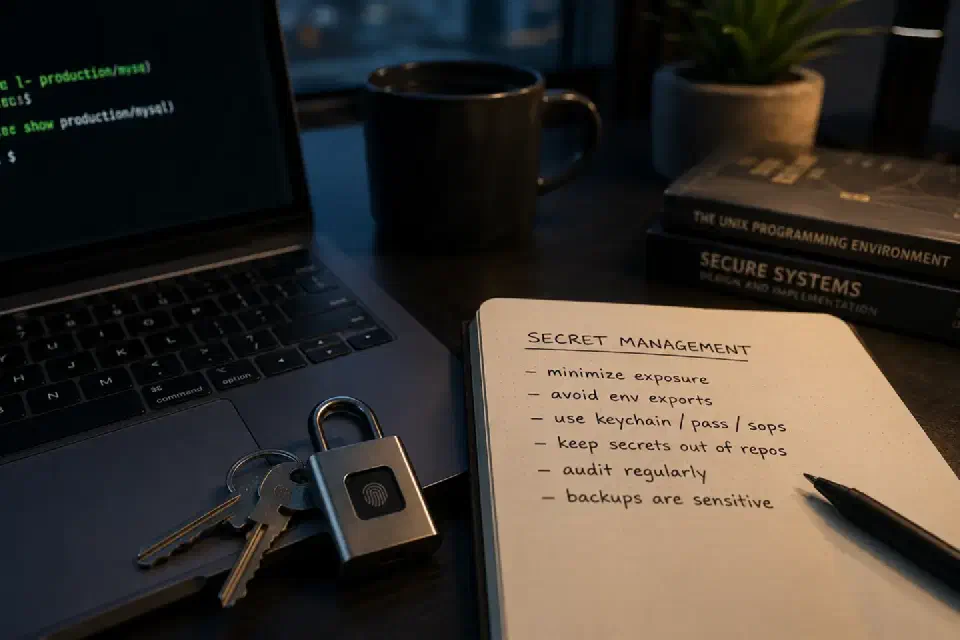
In this post
At some point in the life of almost every sysadmin, there comes a slightly uncomfortable realization: too many secrets are scattered across the environment.
A password inside a .env file here, a token buried in shell history there, a forgotten webhook inside a docker-compose.yml, an API key hardcoded into a “temporary” script that somehow survived for two years in production. None of those things seem catastrophic individually. The problem is that infrastructure rarely collapses because of one gigantic mistake; most of the time, it collapses under the accumulated weight of dozens of tiny operational shortcuts.
And honestly, most credential leaks are not caused by cinematic hacker attacks. They happen because someone:
- committed the wrong file;
- backed up too much;
- exported a variable globally;
- shared a screenshot without masking sensitive information;
- left verbose logging enabled;
- reused an old configuration without reviewing its contents.
The longer you work with infrastructure, the more you realize that secret management is not about building an impenetrable fortress. It is about reducing accidental exposure.
The problem with environment variables#
Environment variables are extremely useful. They simplify automation, application integration, CI/CD pipelines, and service configuration.
The problem starts when they stop being a tool and become the entire secret management strategy.
There is a massive difference between:
MYSQL_PASSWORD="$(pass show production/mysql)"
./backup.sh
and:
export MYSQL_PASSWORD="super-secret-password"
In the first example, the secret exists temporarily for a specific process. In the second, it becomes part of the entire shell session — and potentially every child process spawned from it.
Depending on the environment, variables may end up exposed in:
- process dumps;
- debugging tools;
- logs;
- troubleshooting sessions;
- support scripts;
- shell history;
- monitoring systems;
- crash reports.
A surprising number of people treat .env files as if they were encrypted; they‘re not. They are plain text files with a socially accepted filename.
The macOS Keychain is better than many people think#
Within Linux circles, there is often a tendency to underestimate Apple’s ecosystem. But the macOS Keychain solves several operational problems in an unexpectedly elegant way.
It combines:
- encrypted storage;
- session integration;
- biometric unlock;
- per-application permissions;
- transparent desktop integration.
Adding a secret from the terminal is straightforward:
security add-generic-password \
  -a "$USER" \
  -s "github-token" \
  -w "YOUR_TOKEN_HERE"
Retrieving it later is just as simple:
TOKEN="$(security find-generic-password \
  -a "$USER" \
  -s "github-token" \
  -w)"
That alone eliminates several common problems:
- tokens forgotten in files;
- permanent shell exports;
- duplicated credentials;
- manual copying between machines.
What makes this especially interesting is that the Keychain rarely appears in modern DevOps discussions because the entire conversation tends to orbit around Kubernetes, Vault, and endless YAML files. Meanwhile, many people are operating smaller, more direct environments that look nothing like hyperscale cloud infrastructure.
In those scenarios, the Keychain solves a surprising amount of friction.
Linux: freedom, fragmentation, and too many choices#
On Linux, the story changes completely.
There is no dominant equivalent to the Keychain. Instead, there is an entire ecosystem of partially overlapping tools:
- GNOME Keyring;
- KWallet;
pass;gopass;sops;- Vault;
- systemd secrets;
- Docker secrets;
- cloud-provider-specific solutions.
That flexibility is powerful, but it also creates an inevitable side effect: many environments never develop a coherent secret management strategy.
The result usually looks something like this:
- half the secrets live inside
.envfiles; - another portion sits in Ansible Vault;
- some tokens are embedded in shell scripts;
- certificates are copied manually between servers;
- backups contain everything.
After a few years, the infrastructure turns into operational archaeology.
The charm — and the suffering — of pass#
There is something almost irresistible about pass.
The idea is brilliantly simple:
- each secret is just a file;
- everything is encrypted with GPG;
- Git can version the repository;
- shell integration works beautifully.
Example:
pass insert production/mysql
Later:
MYSQL_PASSWORD="$(pass show production/mysql)"
It is simple, auditable, and extremely Unix-like.
The problem is that pass inherits all of the emotional complexity of GPG itself.
And any sysadmin who has ever had to:
- rotate keys;
- import keys onto new machines;
- explain trust levels;
- troubleshoot agent issues;
- recover a partially broken environment;
already knows how quickly that pain escalates.
Even so, I still think pass is an excellent solution for small and medium-sized environments.
What changed significantly in recent years: sops and age#
One of the more interesting developments in recent years has been the growing popularity of sops, especially when combined with age.
The approach is different from pass.
Instead of storing secrets individually, you can partially encrypt entire YAML, JSON, or TOML files.
For example:
sops secrets.yaml
Inside the file:
database:
  host: db.internal
  username: app
  password: ENC[AES256_GCM,data:...]
This works extremely well with:
- Ansible;
- Terraform;
- Git repositories;
- declarative infrastructure;
- automation in general.
And honestly, age is dramatically more pleasant to work with than GPG in most situations.
Not because it is “magic,” but because it removes a large amount of operational friction.
The most common mistake: treating secrets like ordinary configuration#
This is probably the mistake I see most often — and, admittedly, one I make myself more than I would like.
Over time, secrets stop being treated as sensitive information and slowly become just another piece of operational configuration.
It happens when:
- tokens end up inside templates;
- compose files accumulate passwords;
- backups include everything indiscriminately;
- scripts load permanent variables;
- files are copied between servers without review;
- temporary environments become permanent.
Eventually, someone runs:
grep -R PASSWORD .
and discovers an entire graveyard of old operational decisions.
Real security vs. operational theater#
There is a lot of theater in security:
- Base64 presented as encryption.
- “Kubernetes Secrets” stored almost in plaintext.
- Passwords masked in CI but printed in verbose logs.
- Encrypted
.envfiles whose keys live in the same repository.
Sometimes an infrastructure appears secure simply because it generates enough complexity that nobody wants to question it anymore.
But operational security rarely comes from the most sophisticated tool in the stack. More often, it comes from:
- reduced surface area;
- predictability;
- simplicity;
- auditability;
- fewer places containing secrets.
Tools help. Operational discipline helps more.
What I try to do today#
These days, I try to follow a few relatively simple rules:
- avoid permanent environment variable exports;
- reduce the number of copies of the same secret;
- keep tokens out of repositories;
- avoid hardcoded credentials in automation;
- treat backups as sensitive material;
- prefer simple and auditable solutions.
I also try to avoid turning secret management into a technological religion.
Not every environment needs Vault, not every server needs an entire cloud-native architecture just to store two API keys and a database password; sometimes a small, predictable, well-understood environment is safer than an enormous stack that nobody truly understands anymore.
Conclusion#
Secret management is less about hiding everything inside an impenetrable fortress and more about reducing unnecessary exposure, preventing accidental leaks, and avoiding the moment when operational convenience quietly turns into permanent technical debt.
Because in the real world, most security problems start in a much less dramatic way than conference presentations like to suggest. Usually, they begin with someone saying:
— I’ll clean this up properly later.

Sysadmin, 53, Brazilian working from home for the world. Manages Linux servers, LXC containers, and cats that won't get off the keyboard.