Munin: internal links for Hugo with AI

In this post
In the post about Hugin I explained how I solved the tag and summary problem on my Hugo blog. But there was another problem, less obvious and more annoying: internal links. Those links that connect one post to another, help readers navigate related content, and that Google loves to see on a well-structured site.
The truth is nobody links anything. You write a post about systemd timers, another about cron, another about launchd — and none of the three mentions the others. They’re content islands that could be connected. The obvious solution is to reread every post, remember which others exist, and manually insert links. With 30 posts, it’s doable. With 400, it’s insane.
So I built Munin.
What it is#
Munin is Hugin’s sibling — Odin’s second raven, the one of memory. While Hugin thinks (generates tags and summaries), Munin remembers (finds connections between posts). In practice, it’s another Python TUI that scans the same posts directory, but instead of generating metadata, it discovers where to insert internal links.
How it finds related posts#
Munin uses semantic embeddings. On the first run, it downloads a multilingual model (~400 MB, one time only) and generates a vector for each post based on its title, tags, and description. These vectors are cached and automatically updated when a post changes.
When you select a post, Munin calculates cosine similarity against all others. It’s not keyword search — it’s semantic understanding. A post about “scheduling tasks on Linux” will find the post about “systemd timers” even if the words are completely different.
All of this is local, no LLM, no tokens spent. The calculation is instant.
Incoming and outgoing links#
The interface offers two operations for each post:
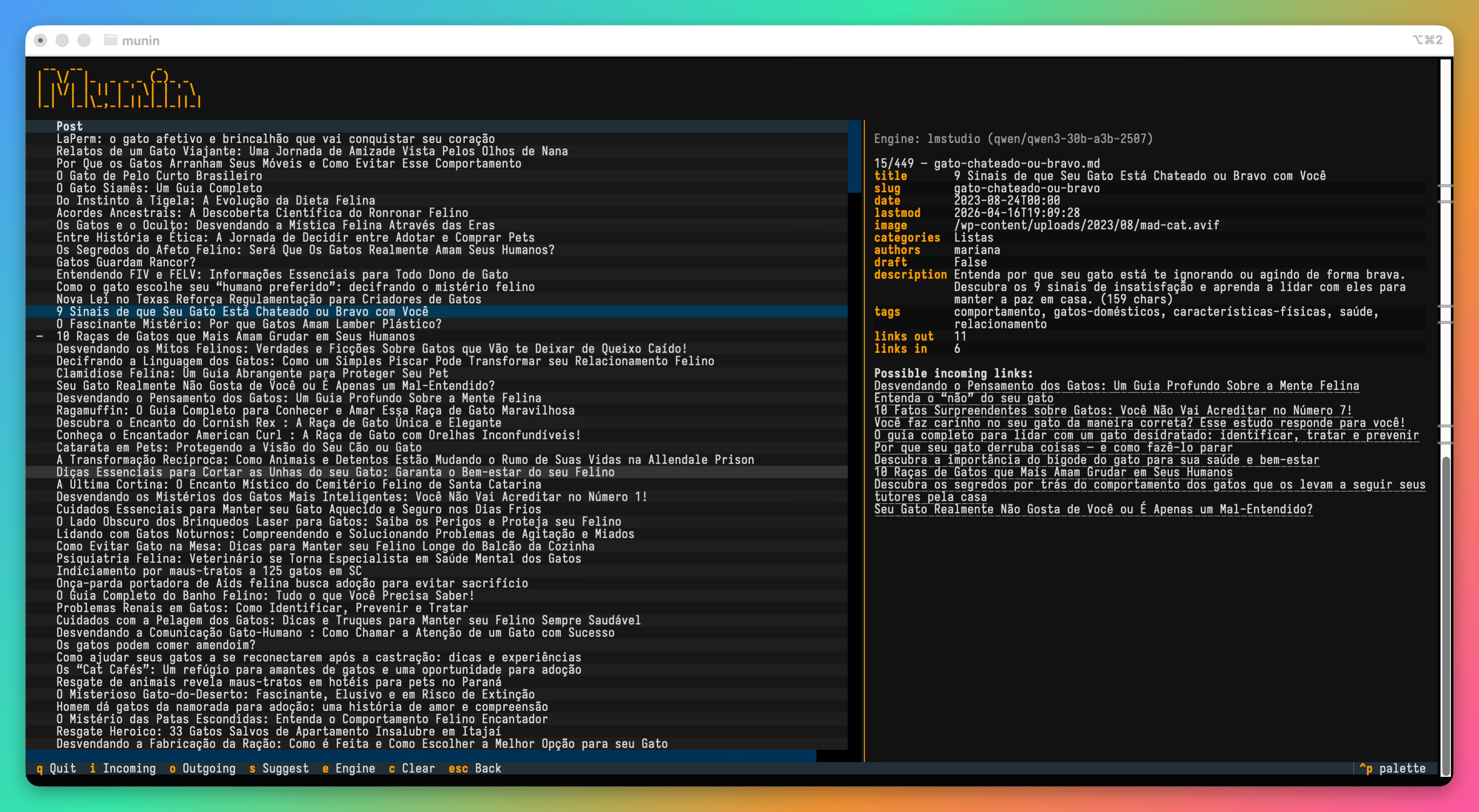
Incoming (i) shows which posts could link to this one. It’s the inverse question: “who in my blog should be pointing here?” Useful for spotting missed opportunities. Results are clickable links that navigate straight to the post in the list.
Outgoing (o) is where the LLM comes in. Munin takes the candidates that embeddings found and sends them to the model along with the full post body. The prompt asks it to find exact phrases in the text that would serve as natural anchors for each candidate.
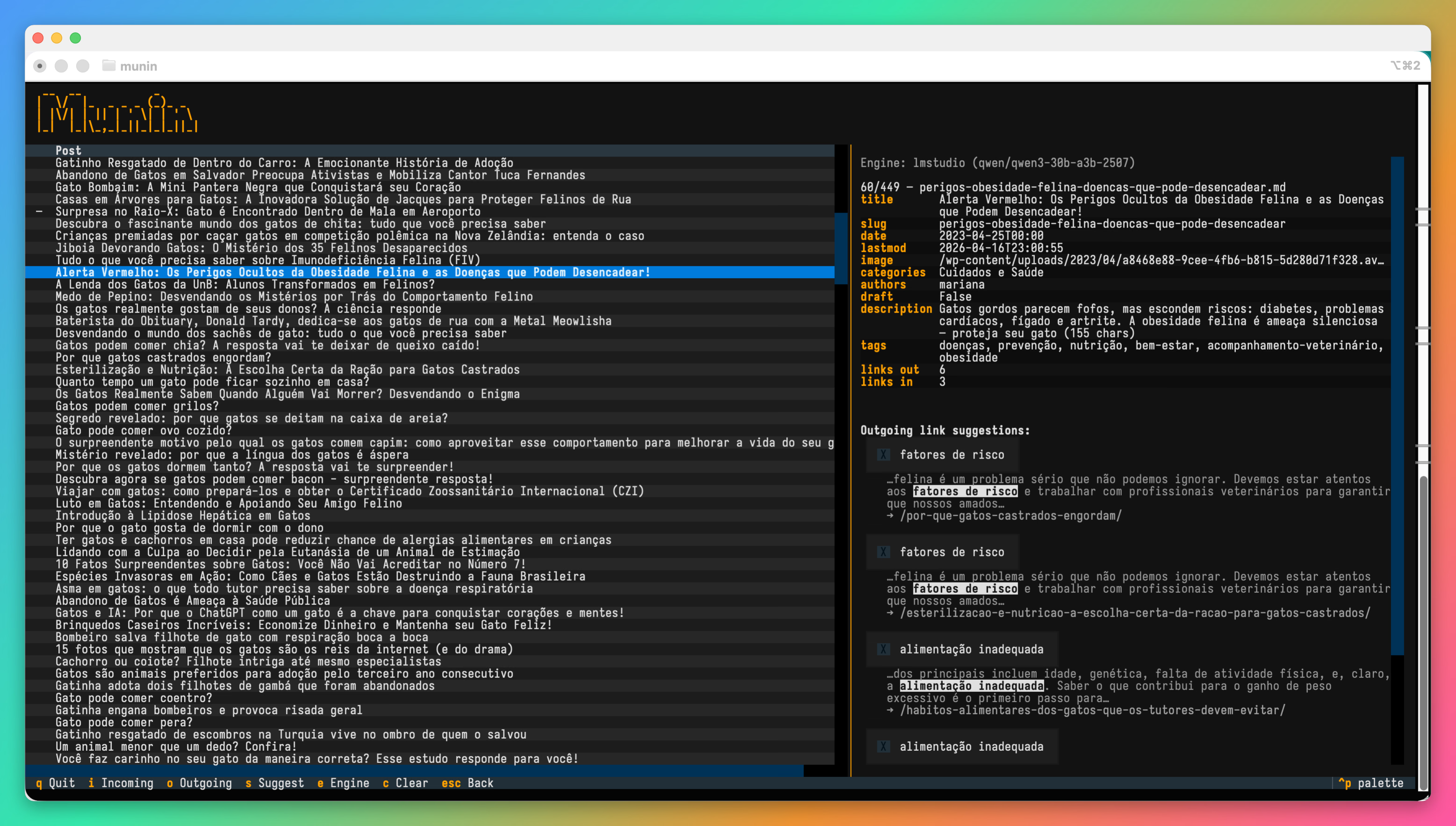
Each suggestion appears with context — the surrounding text around the phrase that will be linked, with the anchor highlighted in bold. You know exactly what’s going to happen before you approve.
Markdown safety#
Munin never inserts links inside code blocks, headings, inline code, images, or existing links. Before showing a suggestion, it checks whether the phrase is in a safe Markdown zone. If the paragraph already has a link, it respects the configurable per-paragraph limit.
If the LLM suggests a phrase that doesn’t exist verbatim in the post — and it happens — Munin tries once to correct it. If it can’t, it silently discards the suggestion. No broken links, no altered text.
Link budget#
Not every post needs eight internal links. Munin calculates a budget based on post length: one link per 300 words, capped at 8 per post. Posts that are too short get a warning in the metadata panel and don’t even offer the option to search for links.
Posts that have already been analyzed with no results are marked with a visual indicator that persists between sessions — so you don’t waste time trying again.
New post suggestions#
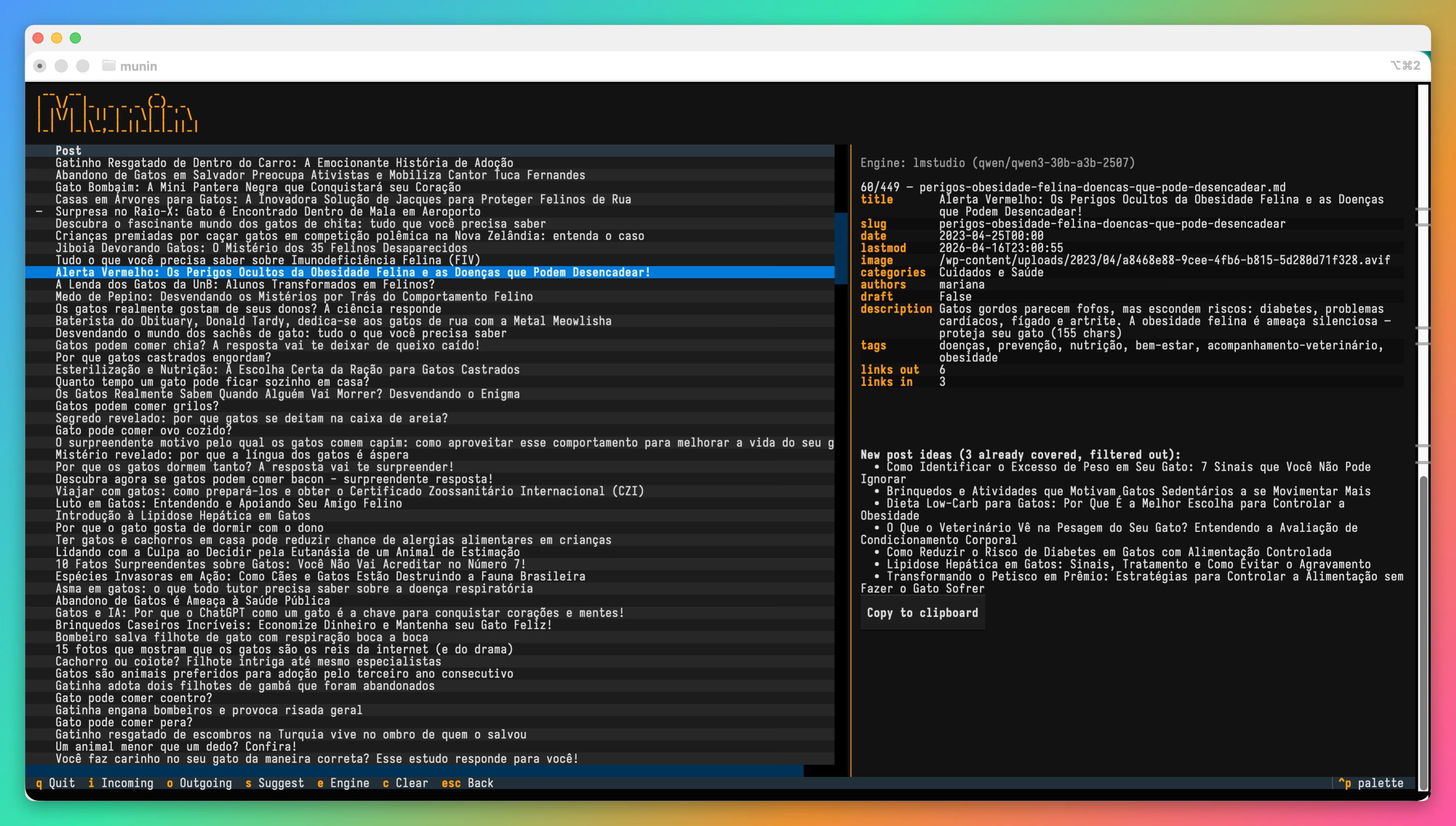
A feature that emerged almost by accident: pressing s, Munin asks the LLM to suggest topics for new posts based on the current content. Before showing the list, it checks the embeddings to see if any of those topics already exist in the blog. The result is real content gaps — ideas for posts that would complement what you already have.
In practice#
munin ~/blog/content/posts
On the first run, the embedding model is downloaded and all posts are indexed. On subsequent runs, only new or edited posts are reprocessed. The interface shows incoming and outgoing link counts in each post’s metadata, so you can see at a glance which ones are well-connected and which are islands.
The typical flow: navigate to a post, press o, review suggestions with context, check the ones that make sense, apply. The file is saved with atomic writes (temp file + rename) to never corrupt data. The cache updates automatically.
Shared with Hugin#
Munin lives in the same repository and shares infrastructure: engines, model selection, configuration. If you’ve already set up Hugin, Munin works with no additional setup. The same e key opens the same engine picker in both.
Munin’s own configuration lives in ~/.hugin/munin.toml — link limits, embedding model, frontmatter field used for searches. The defaults work well for most blogs.
Stack#
Python 3.11+, Textual for the TUI, sentence-transformers with ONNX backend for embeddings (avoids the full PyTorch weight), httpx for LLM calls, python-frontmatter to read and write YAML. The embedding cache is a JSON file per directory.
Code#
Hugin and Munin are open source and live in the same repository:
Repository: github.com/janiosarmento/hugin

Sysadmin, 53, Brazilian working from home for the world. Manages Linux servers, LXC containers, and cats that won't get off the keyboard.