Immich: Your Photos, Your Server, Your Rules
In this post
There comes a moment when everyone stops and thinks about where their photos are. It usually happens when Google sends that friendly email letting you know your free storage is full — and that for just a few dollars a month you can keep storing your memories on their servers. It is a gentle nudge toward a monthly subscription that, added up over years, costs more than a multi-terabyte external hard drive. But the monetary price is only the most obvious part of the equation. There is a more subtle cost to leaving all your photos, videos, and personal memories in the hands of a company that profits from data — and it is worth talking about that cost before discussing any tool.
Immich is an open source, self-hosted platform for managing photos and videos that works as a direct alternative to Google Photos. It has a mobile app with automatic backup, facial recognition, smart content-based image search, a timeline, a map with geolocation — all running on your own hardware, with no dependency on any external service. In this post I want to cover not just what Immich does but mainly the reasoning behind hosting your own photos: what data sovereignty means in practice, what the real infrastructure options are (home lab or VPS), and what to expect when you decide to be the owner of your own archive.
The Problem with “Free”#
When You Are the Product#
Google Photos launched in 2015 offering unlimited free storage for photos in “high quality.” The proposition was irresistible and worked exactly as planned: hundreds of millions of people started sending all their images to Google’s servers without a second thought. In 2021, the unlimited part ended. Everything began consuming the 15 GB quota shared between Gmail, Drive, and Photos — and anyone who already had years of photos stored was faced with a choice between paying or losing practical access to their own library.
But the storage was never truly free. Google’s business model depends on understanding who you are, where you go, who you spend time with, and what you do. Photos are a gold mine in that regard. Every image carries EXIF metadata with date, time, GPS coordinates, and camera model. The visual content itself is processed by machine learning models that identify faces, objects, places, and contexts. Google knows you were at that restaurant in March, that you went to the coast over the holiday, that you have a dog of a certain breed, and that you frequent certain places with certain people. None of this information needs to be typed — it is extracted automatically from the archive you sent in yourself.
The terms of service authorize Google to use your content to train AI models, improve products, and personalize ads. In practice, your family photos feed the same data pipelines that sell advertising space. There is no conspiracy here; it is all described in the terms that almost nobody reads. The point is that the “free” service has a price — it just does not show up on the credit card statement.
The Invisible Cost of Cloud Storage#
Beyond the privacy question, there is the problem of control. When your photos live on another company’s server, you depend on that company’s decisions to access them. Google can change policies, restrict APIs, modify export formats, or simply discontinue a service — as it has done dozens of times with other products. In March 2025, Google restricted the OAuth scopes that tools like gphotos-sync used to download photos, breaking overnight the workflow of anyone who maintained automated local backups of their own images. Those who depended exclusively on Google to store their archive were at the mercy of a unilateral decision over which they had no power.
The same reasoning applies to iCloud, OneDrive, Amazon Photos, or any other centralized service. You do not control the product roadmap, you do not negotiate the terms of use, and you have no guarantee the service will continue to exist in the same form five years from now. Meanwhile, data volume only grows: modern phones record in 4K, RAW photos take up tens of megabytes each, and Live Photos add video to every shot. The free tier evaporates quickly, and the monthly subscription that seems cheap at a few dollars turns into hundreds or thousands of dollars over a decade — enough money to build your own infrastructure that nobody can take away from you.
Data sovereignty is not an abstract concept reserved for corporations and governments. At the personal scale, it simply means your files are on hardware you manage, in backups you control, accessible through tools that do not depend on anyone else’s goodwill. It is the difference between renting an apartment where the landlord can change the building rules at any time and owning your own home. The same reasoning applies to other areas — even a blog’s comments can be self-hosted instead of depending on third parties.
What Immich Is#
A Real Alternative to Google Photos#
Immich is an open source platform for photo and video management that runs entirely on your own server. The project was created by Alex Tran, a developer who wanted a private and secure way to store photos of his newborn son without depending on any commercial cloud service. What started as a personal project grew rapidly and today has over 90,000 stars on GitHub, a full-time development team backed by FUTO — an organization dedicated to software that respects the user — and an active community contributing code, translations, and integrations.
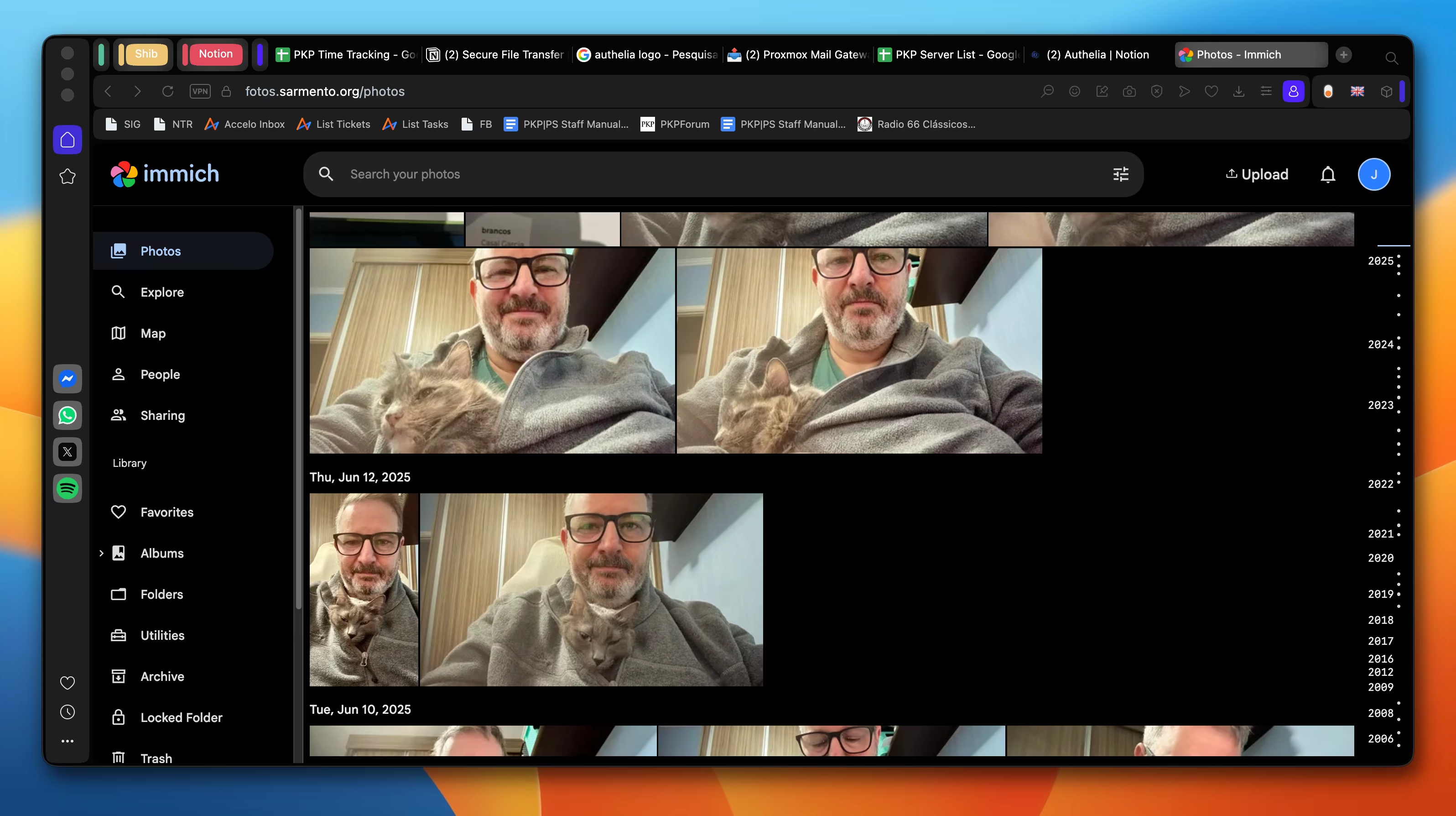
The comparison with Google Photos is neither exaggeration nor marketing. Immich’s web interface is modern, responsive, and organized in a way that anyone accustomed to Google Photos will recognize immediately: a chronological timeline of all your media, grid view, albums, favorites, and a search bar that understands image content. There is a native app for Android and iOS that works like the Google Photos app — open it, see your library, and get automatic backup of everything the camera captures, in the foreground or background. The difference is that every byte leaves the phone and goes straight to the server you manage, without passing through any intermediary.
The project is built with TypeScript on the backend, PostgreSQL as the database, Redis for processing queues, and a separate machine learning service in Python that runs the facial recognition and semantic search models. Everything is packaged in Docker containers, which means the entire installation — server, database, queue, and ML — comes up with a single docker compose up -d and can run on any Linux machine with reasonable resources.
Features That Make the Migration Worth It#
Automatic phone backup is the feature that solves the most immediate problem: the guarantee that every photo taken ends up on your server without any manual action. The app detects new media in the gallery and uploads in the background, even with the screen off. Immich version 2.5 introduced the “Free Up Space” feature, which lets you remove from the phone photos that have already been sent to the server — exactly like Google Photos does — with a mandatory review step before deletion and sending to the device’s native trash, allowing recovery if needed.
Facial recognition works locally, using machine learning models that run on the server itself. Immich detects and groups faces automatically across the entire library, and you can name each person to later find all their photos with one click. Semantic search uses the CLIP model to index the visual content of images, allowing searches by descriptive terms like “beach,” “dog,” “birthday,” or “blue car” without any tags having been added manually. All of this intelligence runs on your machine — no data is sent outside your network.
The map view plots your photos geographically from EXIF location data, and unlike services that sometimes modify or strip metadata on export, Immich preserves original files intact in a standard folder structure. Non-destructive editing — crop, rotation, and mirroring — saves changes in the database without touching the original file, allowing any modification to be reverted at any time. Multi-user support lets you create separate accounts for each family member, each with their own private library and the ability to share specific albums with each other. There is also full support for iOS Live Photos and Android Motion Photos, preserving both the still image and the video component.
For those with photo libraries already organized on disk — years of folders named by date, event, or camera — Immich supports external libraries, importing existing archives without copying the files, only referencing the original path. This means you can point Immich at terabytes of already-organized photos and have them indexed, searchable, and accessible through the app without duplicating any data.
Privacy and Data Sovereignty#
Your Photos Never Leave Your Server#
When you send a photo to Google Photos, it is transmitted to a datacenter that could be anywhere in the world, processed by automated indexing pipelines, stored on infrastructure shared with billions of other users, and subject to the legal jurisdiction of the country where the physical server is located. You do not choose where your data lives, do not know how many copies exist, do not control who has administrative access to the machines, and have no way to audit what happens to the content after it leaves your phone.
With Immich, the chain is short and visible. The phone app uploads directly to your server’s address — whether a mini PC in your living room, a NAS in the closet, or a VPS in a datacenter you chose. Files sit in a folder structure on the machine’s filesystem, the PostgreSQL database stores metadata and indexes, and the machine learning service processes images locally. If the server is in your home, the data literally never leaves your local network during backup. If it is on a VPS, you know exactly which provider and which geographic region it resides in, and you can choose jurisdictions with data protection laws that make sense for you.
This difference sounds technical but has real practical consequences. No employee at any company can view your photos through administrative access. No automated moderation algorithm will flag or remove images that an AI model incorrectly judged as inappropriate. No court in another country can subpoena a provider to hand over your archive without you even knowing about it. The control is yours because the infrastructure is yours.
Local AI: Smart Search Without Feeding Someone Else’s Datasets#
One of the strongest arguments in favor of Google Photos has always been search: you type “sunset at the beach” and it finds the right photo among thousands. This capability exists because Google trained massive computer vision models using — among other sources — exactly the kind of content users upload. It is a self-reinforcing cycle: the more photos users upload, the better the models get, the more useful the product becomes, and the more photos users upload.
Immich replicates this functionality using the CLIP model, which runs entirely on your server. CLIP creates vector representations of images and search terms, allowing you to find photos by text description without any manual tags having been created. Facial recognition uses detection and clustering models that process each face locally, building clusters of people you can name and search. All of this processing happens on your machine’s CPU or GPU cycles. The models are downloaded once and run offline — no image is sent to any external API, no training data leaves your network.
The performance is not identical to Google’s, and it would be dishonest to say it is. Local models are smaller, consumer hardware is more limited, and the initial indexing of a large library can take hours or days depending on the machine. But search works, facial recognition works, and the speed difference in daily use is small enough not to get in the way. What you gain in return is the certainty that none of your photos are being used to train anyone’s next generative AI model.
EXIF, Metadata, and the Integrity of Your Files#
Every digital photo carries an invisible layer of information embedded in the file: EXIF data recording the exact date and time of the shot, the GPS coordinates where the photo was taken, the camera model, the lens used, the aperture, shutter speed, and ISO. For anyone who cares about organization and long-term preservation, this metadata is as important as the image itself — it is what allows reconstructing the chronology of an archive, plotting photos on a map, and filtering by equipment.
Commercial cloud services handle metadata in different and not always transparent ways. Some recompress images on upload, others strip or modify EXIF fields on export, and nearly all convert formats to optimize internal storage. When you download your photos back through Google Takeout, what you receive is not always identical to what you sent — and figuring out exactly what changed requires manual file-by-file comparison.
Immich stores original files without modification. What you upload is exactly what gets written to the server’s disk, with all metadata intact. The non-destructive editing introduced in version 2.5 reinforces this principle: crops, rotations, and mirrors are recorded in the database as instructions without altering the source file. You can download the edited version whenever you want, but the original remains preserved and can be restored at any time. For anyone thinking about long-term archive preservation — decades, not months — this integrity guarantee makes a difference.
Where to Host#
Home Lab: the Server Under Your Desk#
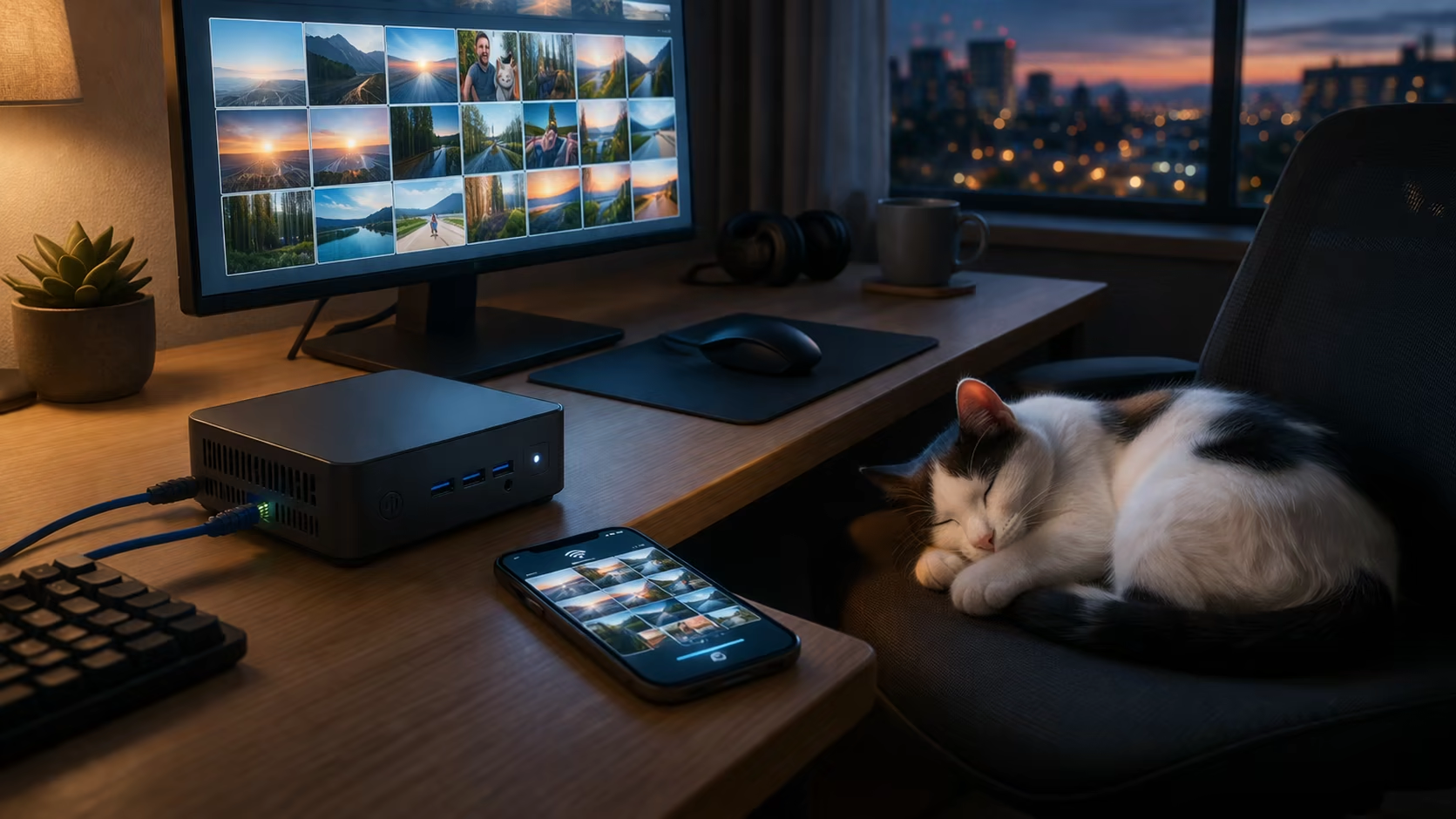
The option most aligned with the spirit of data sovereignty is running Immich on hardware that is physically in your home. It does not need to be anything grand. A mini PC like the Beelink Mini N150 or an ASRock DeskMini X600 consumes less than 10W at idle, is silent, fits in the palm of your hand, and has more than enough power to run all of Immich’s containers without breaking a sweat. Machines like these cost between 300 and 500 dollars, and with an NVMe SSD of a few terabytes you have enough storage for decades of photos at original resolution. If you already have a Synology, QNAP, or Unraid NAS running at home, Immich can be just another container in your stack with no additional hardware.
The home lab’s biggest advantage is that phone backup happens entirely within your local network. The Immich app connects directly to the machine’s IP, files travel over your Wi-Fi, and at no point leave for the internet. Upload speed is your internal network speed — typically gigabit — which makes backing up hundreds of photos and 4K videos a matter of minutes, not hours waiting on your ISP’s upload bandwidth. The machine learning processing for facial recognition and semantic indexing also runs locally, and if the machine has a GPU with CUDA support, the process becomes considerably faster.
To access Immich from outside the house — at work, traveling, from the phone on the street — there are two practical paths. The first is Tailscale, a mesh VPN that creates an encrypted tunnel between all your devices without requiring any firewall configuration or port forwarding on the router. You install Tailscale on the server and the phone, and Immich becomes accessible via a private address as if it were on the local network, from anywhere in the world. The second path is configuring a reverse proxy or a Cloudflare Tunnel with your own domain and automatic HTTPS certificate, exposing Immich to the public internet. This second path requires more security care but gives more flexibility.
The obvious downside of the home lab is that it depends on your residential infrastructure. If the power goes out, the server shuts down. If the router freezes, remote access drops. If the disk fails and no external backup exists, data can be lost. None of this is insurmountable — UPS units are cheap, routers restart themselves, and offsite backups solve the disk failure problem — but it requires you to take on the role of administrator of your own infrastructure. The server will not maintain itself.
VPS: the Server That Does Not Shut Down When the Power Goes Out#
For those who do not want to depend on the stability of residential power and internet, running Immich on a VPS is a solid alternative. A VPS is a virtual machine running in a professional datacenter with redundant power, high-capacity network links, and hardware monitored around the clock. Immich needs at least 4 GB of RAM and 2 CPU cores to run comfortably, which translates to plans in the 10 to 30 dollar per month range depending on the provider and the amount of storage.
Installation on a VPS is essentially identical to the home lab: SSH into the machine, install Docker, bring up Immich’s docker-compose.yml, and configure a reverse proxy with HTTPS. Providers like Hetzner, Contabo, Hostinger, and various European options offer VPS plans with generous storage volumes at reasonable prices. For those concerned about GDPR or wanting data to reside in a specific jurisdiction, choosing a European provider with EU datacenters simplifies the matter: you are simultaneously the data controller and processor, and the data never leaves the server you contracted.
The VPS’s great advantage is availability. The server is always on, always accessible, with a fixed IP and a network connection whose speed does not depend on the residential plan you contracted from your ISP. Automatic phone backup works from any network — hotel Wi-Fi, 4G on the bus, airport Wi-Fi — without needing a VPN or special tunnel, simply by pointing the app to the server’s HTTPS domain.
The downside is that your photos now reside in another company’s datacenter. You have root access to the virtual machine, control the operating system and installed software, but the hypervisor underneath belongs to the hosting provider. In privacy terms, it is a step back from the home lab — though still miles away from handing everything to Google. The other downside is storage cost. While at home an 8 TB hard drive is a one-time cost equivalent to about two years of VPS, in the cloud every additional terabyte goes on the monthly bill. For very large archives, the VPS bill can get steep.
How to Choose Between the Two#
The choice is not necessarily exclusive, and the most useful question is not which option is better in the abstract but which fits your concrete situation. If you already have a NAS or mini PC at home, stable networking, and do not mind keeping a service running, the home lab offers maximum control with minimal recurring cost. If you live somewhere with frequent power outages, do not want to worry about physical hardware, or need reliable access from anywhere without configuring a VPN, the VPS delivers with predictability and little maintenance.
It is also possible to combine both approaches. A setup that appears frequently in the community is running Immich on the home lab for primary use and keeping a copy of the data on a VPS or in object storage like S3, Backblaze B2, or equivalent as an offsite backup. The reverse also works: running Immich on a VPS as the primary server and keeping an encrypted backup on an external drive at home. The important thing is that at least one copy of the data exists outside the location where the primary server operates — but that is a topic for the backup section.
What You Will Need#
Hardware and Minimum Requirements#
Immich runs on any Linux machine capable of sustaining Docker and a few reasonably memory-hungry containers. The official recommendation is at least 4 GB of RAM and 2 CPU cores, but in practice 6 GB of RAM and 4 cores make the experience smoother, especially during the initial indexing of a large library, when the machine learning service consumes significant resources processing each image for the first time. Once the library is indexed, daily use is light — uploading new photos, browsing the interface, searching — and the machine sits practically idle between operations.
For storage, the math depends on the size of your archive and your habits. Phone photos in HEIC or compressed JPEG take up between 2 and 5 MB each. RAW photos from a dedicated camera range from 25 to 80 MB depending on the sensor. 4K video consumes 300 to 500 MB per minute. Beyond the original files, Immich generates thumbnails and optimized versions for browsing, which adds between 10% and 20% to the total space. An archive of 50,000 phone photos accumulated over ten years occupies roughly 150 to 200 GB with thumbnails included. If there are many 4K videos in the mix, that number climbs fast.
On a home lab, an NVMe SSD for the operating system and database combined with a high-capacity mechanical hard drive for the media library is a common and economical configuration. PostgreSQL and Redis benefit from SSD speed, while the photo storage itself does not need low latency — a 4 or 8 TB hard drive serves well. On a VPS, the storage available in the contracted plan is what defines the limit, and it is worth sizing with headroom from the start because migrating to a larger volume later requires downtime and planning.
If the machine has an NVIDIA GPU with CUDA support (compute capability 5.2 or higher), Immich can use it to accelerate machine learning processing — facial recognition and semantic indexing become drastically faster. It is not required; everything works on CPU, just more slowly. For anyone building a new home lab who knows they will be indexing a library of tens of thousands of photos, considering a machine with integrated GPU or a modest dedicated card can save many hours of initial processing.
Docker Compose and the Five-Minute Installation#
Immich is distributed as a set of Docker containers orchestrated by a docker-compose.yml file maintained by the project. Installation consists of cloning this file, configuring a .env with the storage path and database password, and bringing everything up with docker compose up -d. There is no manual dependency installation, code compilation, or individual service configuration — Compose handles the orchestration between the main server, PostgreSQL, Redis, and the machine learning service.
The .env file has few mandatory parameters. The most important is UPLOAD_LOCATION, which defines where media files will be stored on the host’s filesystem, and DB_PASSWORD, which should be a strong random string using only alphanumeric characters to avoid Docker parsing issues. The project maintains an example file with default values that work for most cases — just copy, adjust the paths and password, and bring up the containers.
For those using Portainer, Dockge, or another container manager with a graphical interface, the process is the same: paste the Compose contents into the stack editor, configure environment variables, and deploy. On Synology NAS or Unraid, the community maintains platform-specific guides that adapt volume paths and permissions to each system’s model.
Updates follow the same pattern. The project publishes new versions as Docker image tags, and updating is a matter of pulling new images and recreating containers. The entire process takes less than a minute under normal conditions, but it is prudent to back up the database before any update — Immich is under active development and, although the team is careful with schema migrations, surprises happen.
Remote Access: Tailscale, Reverse Proxy, and HTTPS#
With Immich running, the next step is ensuring you can access it from outside the local network. If the server is on a VPS with a public IP, just put a reverse proxy in front — Caddy is the simplest option because it obtains and renews HTTPS certificates automatically via Let’s Encrypt with no additional configuration. You point a domain to the VPS’s IP, configure Caddy to proxy to Immich’s port 2283, and within seconds you have working HTTPS access. Nginx also works but requires a bit more manual configuration for the certificate.
If the server is on the home lab, the situation is different. Most residential connections in Brazil use CGNAT, which means you do not have your own public IP and cannot simply open ports on the router. Tailscale solves this problem by creating an encrypted mesh network between your devices, regardless of the underlying network topology. You install Tailscale on the server and on each device that needs to access Immich — phone, laptop, tablet — and they all see each other as if on the same local network, with stable IP addresses and end-to-end encrypted traffic. The tailscale serve command exposes Immich on the Tailscale network with automatic HTTPS via MagicDNS, resulting in an address like https://photos.your-tailnet.ts.net accessible from anywhere. If you prefer Immich to be accessible via a public domain without installing anything on client devices, Cloudflare Tunnel is another alternative — it publishes the service with automatic HTTPS using only an outbound connection, without opening ports and without a public IP.
In the Immich mobile app, configuration comes down to entering the server URL — whether the public HTTPS domain or the Tailscale address — and authenticating with your user. From there, automatic backup works on any network: home Wi-Fi, mobile data, hotel Wi-Fi. The app is smart enough to respect Wi-Fi-only upload settings if you prefer to save mobile data.
Backup: the Part Nobody Wants to Think About (but Should)#
The 3-2-1 Rule in Practice#
Self-hosting your photos solves the third-party dependency problem but creates a new one: you are the only person responsible for data integrity. There is no longer a Google engineering team replicating your files across three different datacenters on different continents. If your server’s disk fails and no backup exists, the archive disappears. Wedding photos, children’s first steps, trips that will not happen again — all lost along with the bad sectors of a mechanical drive or the degraded cells of an SSD.
The 3-2-1 rule has been around for decades and remains the simplest and most effective framework for data protection: three copies of your files, on two different types of media, with at least one copy offsite. In practice, for someone running Immich on a home lab, this might translate to something like: the primary copy on the server’s SSD or HDD, a second copy on an external USB drive plugged into the same machine with automated daily sync, and a third copy on a remote object storage service. For someone running on a VPS, the logic inverts: the primary copy is in the datacenter, and the offsite copy can be an external drive at home receiving periodic syncs via rsync or rclone.
The point many people underestimate is that backing up Immich is not just about copying the photos folder. The PostgreSQL database contains all the metadata, search indexes, facial recognition clusters, names assigned to each person, album structure, and information about each user. Losing the photos folder and keeping the database is bad; losing the database and keeping the photos is almost as bad, because all the organization and curation work disappears. Immich offers database backup and restore through the web interface itself since version 2.5, which helps considerably, but the PostgreSQL dump should also be part of the automated backup routine.
Local + Offsite Backup with S3 or Equivalent#
Local backup is the first line of defense and the simplest to implement. An external USB drive connected to the server with a cronjob running rsync once a day solves the second copy question with zero recurring cost. rsync is incremental — on the first run it copies everything, on subsequent runs it copies only what changed — so even multi-terabyte libraries generate small daily transfers after the initial sync. The PostgreSQL dump can be added to the same script: a pg_dump before the rsync ensures the database accompanies the media files in the backup.
Offsite backup is protection against disasters that affect the server’s physical location: fire, flood, theft, a power surge that fries everything plugged into the same outlet. For this third copy, cloud object storage is the most practical and economical option. Amazon S3 on the Glacier Deep Archive class costs pennies per gigabyte per month — a 500 GB archive runs about twenty cents a month. Backblaze B2 is another popular option with similar pricing and no egress fees for small volumes. rclone is the standard tool for this kind of sync: it speaks to virtually any object storage provider, supports client-side encryption before upload, and can be scheduled with a weekly or daily cronjob at whatever frequency makes sense for your data volume.
Those who prefer not to depend on any commercial service for offsite backup can team up with a friend or family member who also self-hosts: each person runs a script that sends encrypted backups to the other’s server via SSH or rclone SFTP. It is the homegrown version of geographic redundancy — your data lives at someone you trust’s house, and their data lives at yours, both encrypted end-to-end and unreadable without the key only the owner holds. Tools like restic and borg make this workflow especially practical because they handle incremental, compressed, and encrypted backup natively, without requiring separate steps for each of those functions.
The most important thing is that the backup exists, works, and is tested. A backup that has never been restored is an assumption, not a guarantee. Take a moment to verify that the PostgreSQL dump restores correctly in a clean container and that the media files in the backup match what is on the server. Doing this once every few months is enough to sleep soundly.
Limitations and What to Expect#
Immich Is Not (Yet) a Finished Product#
Immich evolves fast — the release cadence is high, the team is responsive, and the commit pace on the repository is impressive. But speed of development also means the software is still in motion. Breakages between versions happen. Database schema migrations occasionally require manual attention. Features appear, change behavior, and sometimes get rewritten between releases. The project’s own documentation makes clear that Immich should not be treated as the only copy of your data, and that honesty is a good sign about the team’s maturity, but also a reminder that we are talking about software under active construction, not a stable and predictable product like Google Photos.
In practice, this means keeping Immich healthy requires a minimum of periodic involvement. Checking logs after an update, reviewing the changelog before pulling a new version, and having the database backup current before any upgrade are habits that need to become routine. None of this is complex or time-consuming — we are talking about five to ten minutes per month under normal conditions — but it is time you would not spend if you were simply using Google Photos.
The mobile app for iOS and Android is functional and has improved greatly in recent versions, but it still has rough edges. Background upload sometimes needs a manual nudge on iOS due to Apple’s restrictions on background processes. The web interface is attractive and responsive, but anyone coming from Google Photos will notice that some interactions are less polished — drag-selecting multiple photos, transitions between views, scroll speed on very large libraries. These are details, not dealbreakers, and the trend is for them to improve with each release, but it is worth setting expectations before migrating.
Local machine learning also has its quirks. Initial indexing of a large library consumes hours on CPU and can take days if the machine is modest. During this period the server runs slower for other tasks. Facial recognition works well in most cases, but cluster accuracy depends on the quality and variety of photos — partially covered faces, bad lighting, or extreme angles generate incorrect groupings that require manual correction. Semantic search via CLIP is impressively useful for generic terms like “mountain” or “party” but stumbles on very specific or contextual queries that Google, with its massive models, would handle better.
When Self-Hosting Does Not Make Sense#
Self-hosting is not for everyone, and pretending it is would be dishonest. If you have no interest in managing infrastructure, do not want to think about backups, are not bothered by Google’s terms of use, and the Google One subscription price fits comfortably in your budget, Google Photos remains an excellent product that works without friction. There is no shame in preferring convenience — the overwhelming majority of people make exactly that choice, and for many of them it is the right one.
Immich is also not the best option for those who need heavy real-time collaboration among many users, for corporate environments with strict compliance requirements demanding certified audits, or for someone with an archive of hundreds of thousands of photos and 4K videos but only a Raspberry Pi with 2 GB of RAM to run it all. The tool scales well for personal and family use but has hardware and scope limits that do not make sense to ignore.
Another situation where self-hosting can be more headache than benefit is when residential internet infrastructure is very unreliable. If your connection drops frequently, power is unstable, and there is no budget for a UPS, the home server will spend more time offline than online. In those cases, a VPS solves the availability problem but adds recurring monthly cost — and if the archive is large, that cost can quickly surpass the price of a commercial cloud storage subscription. Every situation is different, and the decision needs to account for concrete reality, not the theoretical ideal.
Is It Worth It?#
The answer depends on what you value, and that is not evasiveness — it is the central point of everything discussed so far. If what bothers you is knowing that your family photos feed AI models trained to sell advertising, Immich eliminates that discomfort entirely. If what concerns you is the possibility of a service changing its policies overnight and restricting access to your own archive, running the infrastructure on your own hardware removes that variable from the equation. If what motivates you is simply the satisfaction of opening the app on your phone and knowing that every photo is stored on a server you configured, on a disk you chose, protected by backups you built yourself — then yes, it is very much worth it.
The cost of entry is lower than it seems. Those who already have a NAS or mini PC at home can have Immich running in less than an hour without spending anything beyond time. Those who need to buy hardware will invest roughly the equivalent of two to four years of a Google One subscription — after that, the recurring cost is just electricity and, if there is offsite cloud backup, a few cents per month in object storage. Those who prefer the VPS will have a monthly cost but with the tradeoff of not worrying about availability and physical hardware. In any scenario, the investment pays for itself in a reasonable timeframe compared to decades of accumulated subscriptions.
Immich is not perfect. It is a project under active development, with edges still being smoothed and limitations that do not exist in products from companies with billion-dollar budgets. But it is also one of the most impressive open source projects of recent years in the self-hosting space, with a committed team, a huge community, and a pace of evolution that makes today’s software significantly better than six months ago. With each release, the distance between Immich and Google Photos shrinks — and in some respects, like metadata preservation and granular control over data, Immich is already ahead.
Your photos are the visual record of your life. They are the faces of the people who matter, the places you have been, the moments that will not repeat. Deciding where that archive lives and who has access to it is one of the few digital decisions that truly deserves attention. Immich gives you the option to take that decision back.

Sysadmin, 53, Brazilian working from home for the world. Manages Linux servers, LXC containers, and cats that won't get off the keyboard.